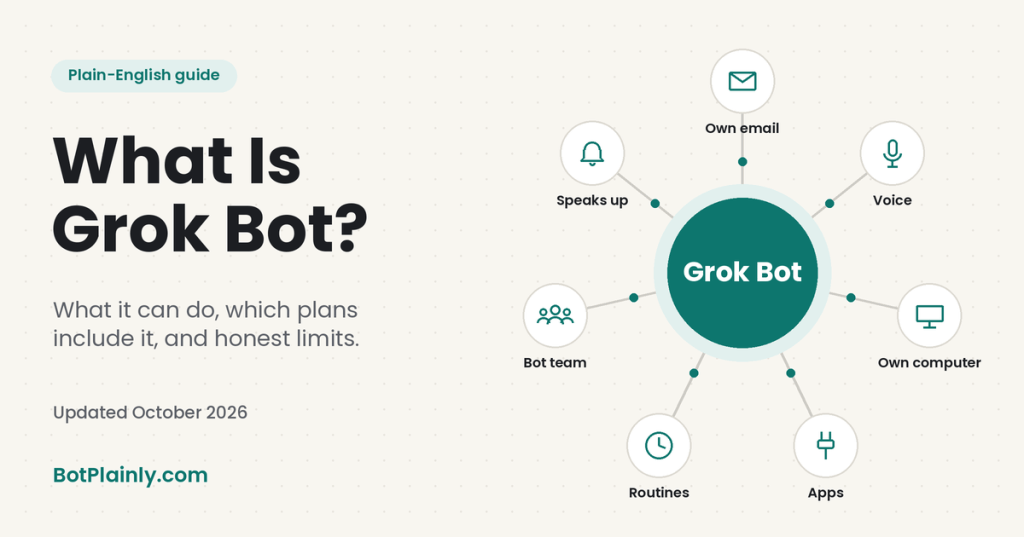
Short answer: Grok Bot is an AI helper from the makers of Grok that does tasks for you instead of just chatting. It works on its own computer in the cloud, so it can use websites and apps, keep going while your laptop is closed, and check with you before anything important happens.
Last checked: October 19, 2026. Prices and features change often, so see the official links at the end.
The simple way to think about it
Most AI chatbots work like a very smart pen pal. You ask a question, it writes back, and then you do the actual work yourself.
Grok Bot works more like a helpful assistant you can hand a job to. The official site calls them “AI teammates.” You message a Bot like you’d text a person, telling it what you want done, and it does the clicking, reading, and sorting. It comes back when it’s finished or when it needs your OK.
You can have more than one Bot, and you can give each one a name and a job. One might handle your inbox, while another keeps an eye on prices for something you want to buy.
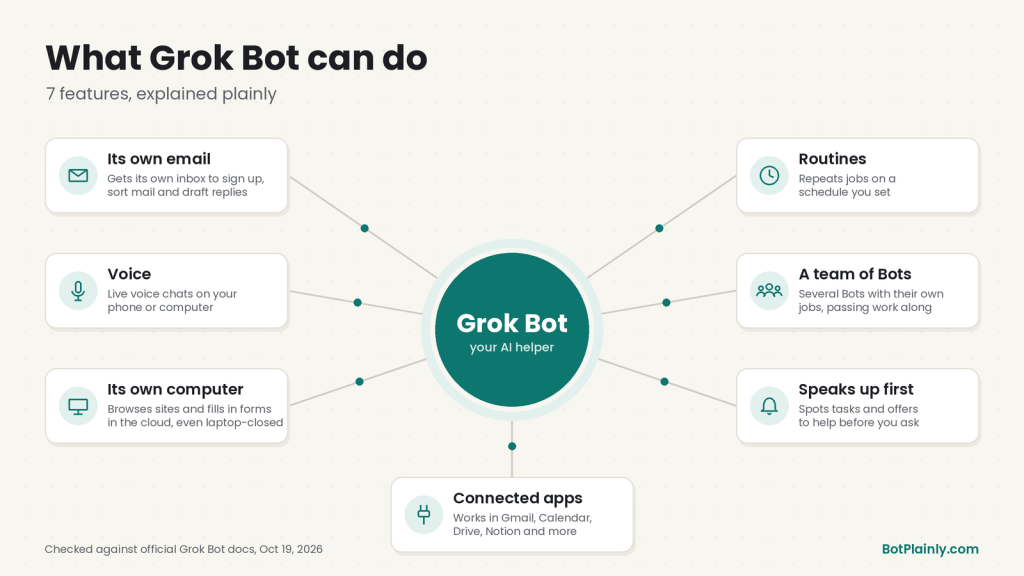
What Grok Bot can do: the 7 features that matter
Here’s what stands out, each with a simple everyday example. I checked every one against Grok Bot’s official help pages and docs on the date above.
1. It can have its own email address
You can let your Bot claim its own address (it ends in @mail.grokbot.com). Your Bot can then receive, read, search, and send email from that address.
Everyday example: Use the Bot’s address when you sign up for store newsletters and loyalty programs. Once a week, ask it, “What deals came in this week?” and you get a short summary instead of a cluttered inbox.
Good to know: there’s no separate inbox screen, so you just ask the Bot what arrived. It shows you every email it writes as a draft, and nothing goes out until you press Send.
2. You can talk to it out loud
Besides typing, you can dictate a message or start a live voice chat. That means you talk, the Bot talks back, and you can read a transcript afterward. It works in both the desktop app and the phone app.
Everyday example: While you’re folding laundry, you say, “Remind me what’s on my calendar tomorrow and draft a note to the school about Friday pickup.”
To be clear, this is a voice chat inside the app. There’s no phone number to dial, and Grok Bot doesn’t have a CarPlay app yet. Grok Bot’s support team has said a voice chat started on your phone keeps running when the phone is locked.
3. It has its own computer
This is the big one. Each account gets a private computer in the cloud with a web browser and files. Your Bot uses it to open websites, click around, and fill in online forms the way you would. Because that computer lives online and not on your laptop, the work keeps going when you close your laptop or put your phone down.
Everyday example: “Compare the price of these five items at Costco and Amazon, including delivery, and tell me which cart is cheaper.” That kind of shopping comparison is one of the examples in the official beginner guide.
When a website needs a password, a two-factor code, a CAPTCHA, or an identity check, the Bot asks you to step in and do that part yourself.
4. It connects to the apps you already use
You can connect apps like Gmail, Google Calendar, Google Drive, Notion, and Slack so your Bot can work inside them. It can also search X and read posts without you connecting an X account.
Everyday example: “Look at my calendar for next week and find two free evenings for dinner with my sister.” With Google Calendar connected, the Bot can check when you’re free and create the event for you.
A connected app can only do what your own account can already do. It can’t give itself extra access.
5. It runs routines on a schedule
A routine is a job your Bot repeats on its own, either at a set time (“every weekday at 8 AM”) or when something happens, like an email arriving. You set one up by asking in plain words.
Everyday example: “Every Sunday at 6 PM, look at my calendar for the coming week and send me a short summary with anything I need to prepare.”
You can also show a Bot how to do a task once, and it can save that as a routine to repeat later.
6. You can build a small team of Bots
You can create several Bots, each with its own job. They can work at the same time, pass tasks to each other, and even share a group chat of two to six Bots.
Everyday example: A “Home” Bot handles bills and appointments, a “Deals” Bot tracks prices, and a “Trip” Bot plans your summer vacation. When the Trip Bot finds flights, it can hand the dates to the Home Bot to put on the family calendar.
7. It can speak up first
Your main Bot, which the app calls your “primary” Bot and marks with a star, can spot work it could take off your plate and offer to handle it before you ask. It suggests things. It doesn’t just go ahead on its own.
Everyday example: The Bot notices you’ve booked two things at the same time on Thursday and offers to help you reschedule one.
Who Grok Bot is for
Grok Bot makes the most sense if you:
- Have lots of small, repeated chores, like sorting email, tracking orders, comparing prices, or keeping calendars straight.
- Juggle a household or a side business and want help with the boring parts.
- Are comfortable checking and approving what a helper does, the way you’d look over a new assistant’s work.
It’s probably not worth paying for yet if you only want to ask an AI the occasional question. The regular Grok chat app handles that, and it has a free version.
Which plans include Grok Bot (and what it costs)
Grok Bot doesn’t have its own separate subscription. It comes with the bigger plans of The X Subscription, a single plan launched in October 2026 that bundles Grok, Grok Bot, Cursor (a coding tool), and X Premium perks.
| Plan | Price (US, before tax) | Includes Grok Bot? |
|---|---|---|
| Free | $0 | No |
| Plus | $8/month | No |
| Premium | $30/month or $300/year | Yes |
| Super | $100/month or $1,000/year | Yes, with more usage |
| Ultra | $200/month or $2,000/year | Yes, with the most usage |
A few plain-English notes:
- Plus does not include Grok Bot. This is the most common mix-up. To get Grok Bot, you need Premium or higher.
- Usage is shared and resets weekly. Each paid plan gets one weekly allowance shared across Grok, Grok Bot, and Cursor. Premium gets 4 times as much as Plus, Super gets 15 times, and Ultra gets 50 times. The official pages don’t publish exact message or hour counts.
- You can top up. If you run out before the week resets, you can buy extra credit or simply wait.
- Older plans still work. If you already have SuperGrok, SuperGrok Plus, SuperGrok Heavy, or X Premium+, you may already be able to use Grok Bot by linking that account. SuperGrok Lite doesn’t include it.
- There’s a free trial, but it isn’t “7 days unlimited.” It’s a set amount of usage credit with a 7-day window, and one big task can use it all at once.
Prices outside the US weren’t published on the official pages I checked, so look at the checkout screen for your country’s price.
How to get started (the short version)
- Pick a plan at x.ai/pricing. Premium is the cheapest plan that includes Grok Bot.
- Download the Grok Bot app from x.ai/bot. It’s available for Mac, Windows, and Linux, plus iPhone, iPad, and Android.
- Sign in and create your first Bot. Give it a name, one job, and a short description of how it should work, or pick one of the suggested Bots.
- Give it a small first task with a clear finish line, like “Summarize this document in five bullet points.”
- Connect apps as you need them, and step in when the Bot asks you to sign in to a website.
We’ll walk through every screen in our full setup guide.
Honest limits to know before you pay
- It costs at least $30 a month. There’s no free plan for Grok Bot itself, just the limited trial credit.
- The weekly allowance can run out. Long tasks, many Bots, and frequent routines all use it up faster. The official help pages warn that an hourly routine can burn through a week’s usage in a day.
- It still needs you. Bots stop for passwords, two-factor codes, CAPTCHAs, and some payments, and they ask before sending email or doing anything sensitive. That’s a safety feature, but it means Grok Bot isn’t “set it and forget it.”
- Some websites block it. A site can refuse automated visitors or log the Bot out, and then you’ll need to step in.
- Your Bots share one computer. Anything you sign into on it is available to all of your Bots, so think before you add a Bot you don’t fully trust with an account.
- It can make mistakes. Like any AI, it can get things wrong, so check important results, especially anything involving money, health, or deadlines.
- Some features roll out slowly. For example, tagging @bot on X isn’t available in every region yet.
Frequently asked questions
Is Grok Bot free?
Not really. Grok Bot is included with Premium ($30/month) and higher plans of The X Subscription. The Free and Plus plans don’t include it. There’s a free trial in the form of a limited usage credit with a 7-day window. The trial never turns into a paid plan by itself, but an Apple App Store trial is separate and does renew unless you cancel it.
Is Grok Bot the same as Grok?
No. Grok is the AI chat app you talk to for answers, writing help, images, and voice conversations. Grok Bot is the “do it for me” helper that uses its own computer to carry out tasks across websites and apps. Paid plans that include Grok Bot also include Grok.
Does X Premium include Grok Bot?
It depends on which plan. On the new X Subscription, Premium ($30/month) and higher include Grok Bot, but Plus ($8/month) doesn’t. If you have the older X Premium+ plan, you can link it to get Grok Bot usage.
Can Grok Bot send emails?
Yes. It can send from its own @mail.grokbot.com address, or from your Gmail or Outlook if you connect them. You see each email as a draft first, and it doesn’t send until you approve it.
Is Grok Bot on Android?
Yes. There’s a Grok Bot app for Android, iPhone, and iPad, along with desktop apps for Mac, Windows, and Linux.
Does Grok Bot keep working when my computer is off?
Yes. The work happens on its cloud computer, so closing the app, your laptop, or your phone doesn’t stop a task or a routine.
Sources (last checked October 19, 2026)
- Grok Bot product page: x.ai/bot
- Grok Bot overview: docs.x.ai/grok-bot/overview
- Get started: docs.x.ai/grok-bot/get-started
- The computer and apps: docs.x.ai/grok-bot/computer-and-apps
- Group chats and handoffs: docs.x.ai/grok-bot/chat-and-collaboration
- Bot email: cursor.com/help/grok-bot/agent-email
- Voice chat: cursor.com/help/grok-bot/voice-chat
- Connect apps: cursor.com/help/grok-bot/connect-apps
- Routines: cursor.com/help/grok-bot/routines
- Plans, trial, and billing: cursor.com/help/grok-bot/plans
- Prices: x.ai/pricing and docs.x.ai/x-subscription/pricing
- Grok Bot on The X Subscription: docs.x.ai/x-subscription/grok-bot
- Proactive suggestions and X search: Grok Bot changelog
- Shopping example: Grok Bot 101 guide
BotPlainly is an independent guide. We’re not affiliated with, endorsed by, or sponsored by xAI (now SpaceXSI), X, or Cursor. Grok and Grok Bot are their trademarks. Prices and features can change at any time, so always check the official pages before you buy.


Leave a Reply