Short answer: Grok is an AI assistant you can chat with, by typing or by voice. It answers questions, searches the web and X for what’s happening right now, writes, makes images and short videos, and reads your files. It’s made by SpaceXSI, the company formerly called xAI, and you can use it at grok.com, in the Grok apps for iPhone and Android, and inside X. There’s a free version with limited use, and paid plans start at $8 a month.
Last checked: October 19, 2026. AI tools change fast, so see the official links at the end.
If you’ve seen “Grok” everywhere and felt a little lost, you’re not alone. People on X keep asking the same things: what is it, is it free, and how is it different from Grok Bot? This guide answers all of it in plain words.
What Grok is, in one minute
Think of Grok as a very well-read helper you can talk to. Ask in normal words, like “Help me plan a birthday party on a budget,” and it answers in seconds. Then ask follow-ups or tell it to change its tone.
According to the official site, Grok can chat and write, search the web and X live with links to its sources, reason step by step, make images and short videos (a tool called Imagine), hold voice conversations, read files and photos you upload, and remember your preferences if you allow it. It works in 30+ languages.
What does “Grok” mean? It’s a real English word. Merriam-Webster defines it as “to understand profoundly and intuitively,” and it was coined by science fiction writer Robert A. Heinlein in his 1961 novel Stranger in a Strange Land. When Grok launched, its makers said they modeled it after The Hitchhiker’s Guide to the Galaxy, built to “answer almost anything” with a bit of wit.
Who makes Grok? Grok is made by SpaceXSI (legal name SpaceXAI LLC). The company launched as xAI in July 2023, and on February 2, 2026, SpaceX announced it had acquired xAI. The official pages now use the name SpaceXSI, while the web addresses are still x.ai and grok.com. Its own FAQ also says it’s a separate company from X (the social network), even though Grok is built into X.
How Grok works, in plain words
You don’t need the technical details, but a basic picture helps you know when to double-check it.
- It learned from a huge amount of text. Grok runs on what’s called a large language model. According to the official FAQ, it was trained mostly on publicly available information from the internet. From that, it learned how words and ideas connect, so it can understand your question and write an answer that makes sense.
- It looks things up when it needs to. Training has a cutoff date, so Grok searches the web and public X posts live for anything recent and links its sources. That “what’s happening now” angle has been part of Grok since day one.
- It can think longer on hard questions. Newer versions can take extra time to reason through a problem, check their work, and try other approaches before answering. A multi-agent mode splits a tough question among several AI helpers working at the same time, then combines what they found.
- It can use tools and your apps. Connectors link apps like Gmail, Google Calendar, Drive, Outlook, and Notion. Skills let it make real Word documents, slide decks, spreadsheets, and PDFs. Automations run a job you describe once, like “every weekday at 8 AM, summarize my unread emails,” on a schedule.
The honest part: Grok predicts the best answer from patterns, so it can sound confident and still be wrong. The official FAQ says it plainly. Grok can make mistakes, including “hallucinations,” so you should check its answers before relying on them.
Where you can use Grok
- On the web: grok.com
- On your phone: the Grok app for iPhone and Android, with your history synced across devices
- Inside X: Grok is built into the X app and website, and it has its own account, @grok, that people tag in replies.
- In Microsoft Office and Google Workspace: official add-ins for Word, Excel, PowerPoint, and Outlook, plus a Google Workspace add-on for Docs, Sheets, and Slides
- In some Tesla cars: Tesla’s support page says Grok works hands-free in vehicles with an AMD processor, software 2025.26 or later, and Premium Connectivity or Wi-Fi. Newer software adds commands like navigation, calls, music, and climate.
You can sign in with your X account or an email address.
A short history: how Grok got here
Grok started as a witty chatbot inside X and is now a family of tools that can also do work for you. Here are the milestones the company itself lists:
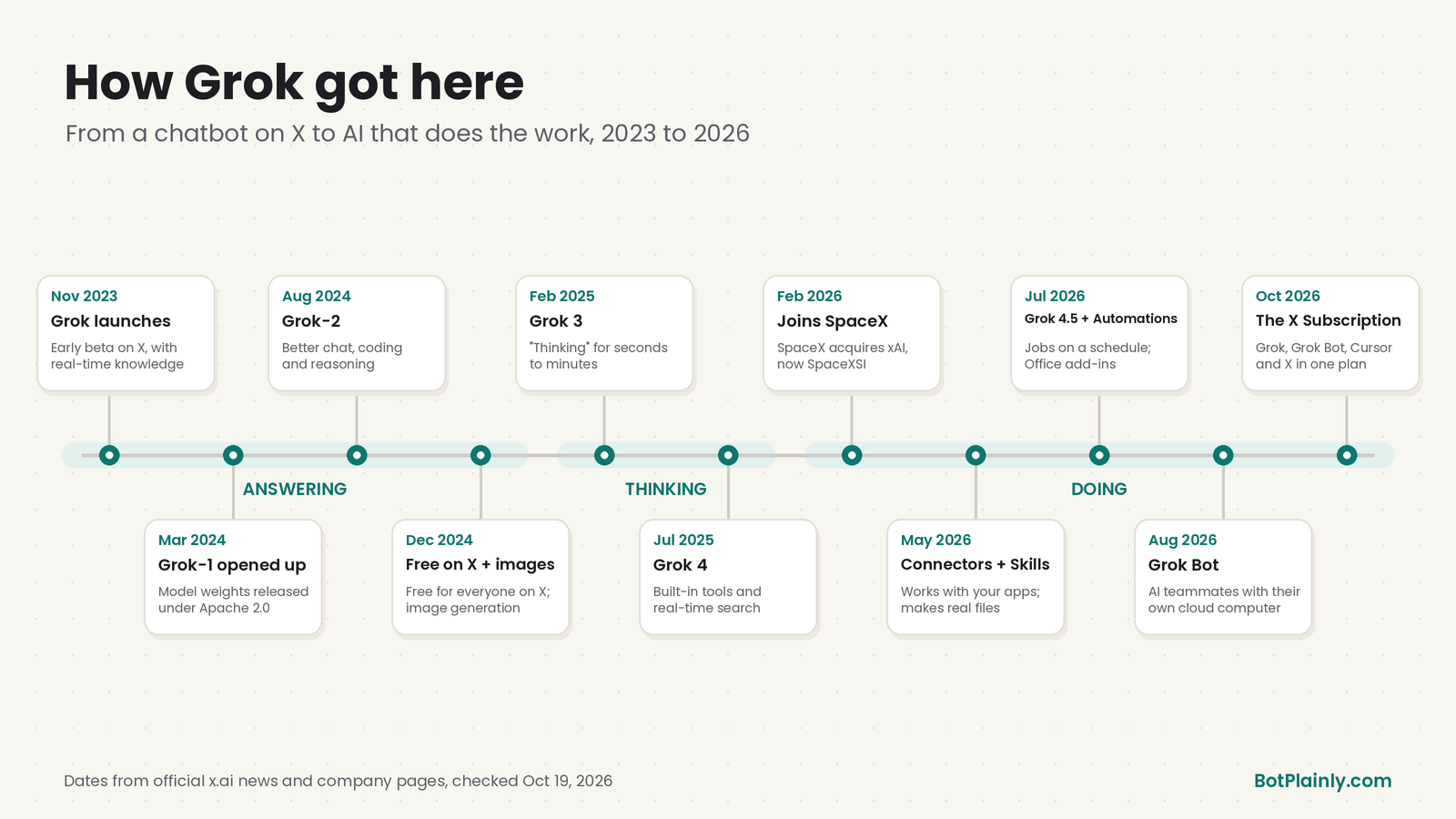
| When | What happened |
|---|---|
| Nov 3, 2023 | Grok is announced as an early beta with real-time knowledge from X |
| Mar 17, 2024 | xAI releases the Grok-1 model’s weights openly, under the Apache 2.0 license |
| Aug 13, 2024 | Grok-2 arrives with better chat, coding, and reasoning |
| Dec 2024 | Grok gets image generation (Dec 9) and rolls out free to everyone on X (Dec 12), with web search and citations |
| Feb 19, 2025 | Grok 3 adds “thinking” that can reason for seconds to minutes |
| Jul 9, 2025 | Grok 4 launches with built-in tool use and real-time search, plus a new SuperGrok Heavy plan |
| Feb 2, 2026 | SpaceX announces it has acquired xAI |
| May 2026 | Connectors (May 6) and Skills (May 18) arrive on web, iPhone, and Android |
| Jun–Jul 2026 | Office add-ins (Word and PowerPoint in June, Excel and Outlook in July), then Grok 4.5 and Automations (Jul 16) |
| Aug 11, 2026 | Grok Bot launches: AI teammates with their own cloud computer |
| Sep 21, 2026 | Grok 4.7, the company’s most capable model for coding and knowledge work |
| Oct 12, 2026 | The X Subscription bundles Grok, Grok Bot, Cursor, and X Premium into one plan |
Dates from the official news pages at x.ai/news and the company milestones at x.ai/company, checked October 19, 2026.
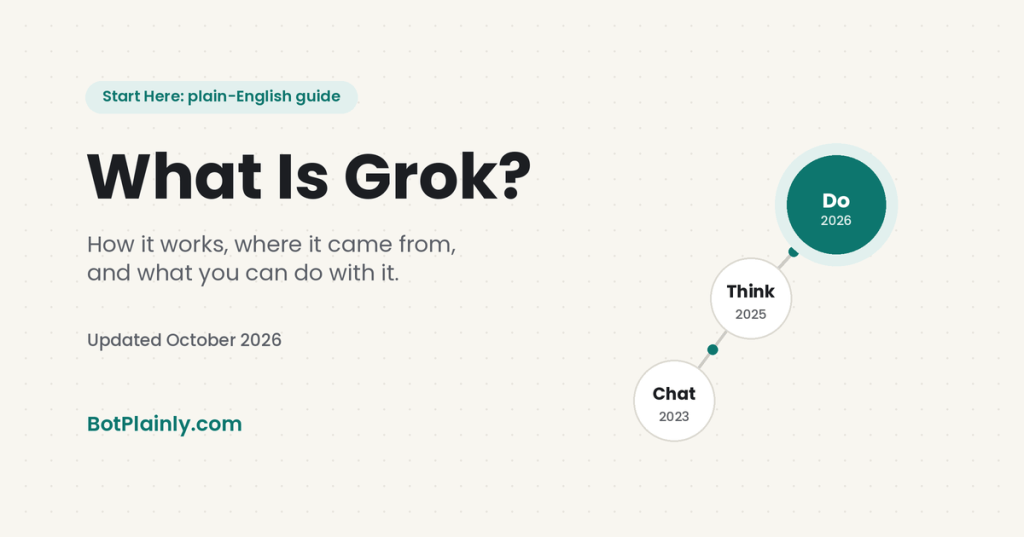
The big picture: Grok has moved from answering (2023–2024), to thinking (2025), to doing (2026). It’s the same assistant, but each year it can take on more of the job itself.
What you can do with Grok
Here are everyday things Grok is built for, in plain terms:
- Get a straight answer fast: “What’s the difference between a Roth IRA and a traditional IRA, in simple terms?”
- Catch up on news: “What’s happening with [topic] today? Give me the main points and link your sources.”
- Write and rewrite: emails, cover letters, captions, product descriptions, or a polite “no.”
- Understand documents: upload a lease, an insurance letter, or a school handbook and ask what it means and what to do next (blur account numbers first).
- Make visuals: images and short videos from a description or a reference photo.
- Make real files: a budget spreadsheet, a slide deck, or a formatted Word document.
- Research with sources: “List the main competitors for [idea] near me, what they charge, and what customers wish was better. Link your sources.”
- Build simple apps: describe a website, game, or dashboard, and Grok builds a working version right in the chat. The company calls this Grok Build, and since August 19, 2026 it has been available on every plan.
- Put repeat jobs on autopilot: automations that run on a schedule or when a certain email arrives.
Grok for every kind of person
You don’t have to be “techy” to use Grok. Here are prompts you can copy and adjust. Replace anything in [brackets] with your own details.
For everyday life and family
Grok is great for the mental load: plans, lists, and decisions.
“Plan five easy weeknight dinners for a family of four, under 30 minutes each, no nuts. Then give me one grocery list grouped by store aisle.”
“I have $400 a month left after bills. Help me make a simple budget with savings, groceries, and a little fun money. Ask me questions first.”
For small business owners
Use it as a writing partner and research assistant for the work that piles up.
“Write three friendly versions of a reply to this customer review. Keep it short, thank them, and invite them back: [paste review].”
“Turn these notes into a one-page price list for my [type of business], with clear sections and simple wording: [paste notes].”
For people with a business idea
No AI can promise an idea will make money, but Grok is a fast way to think it through before you spend anything.
“I’m thinking about starting [idea]. Ask me 10 hard questions a smart friend would ask before I spend any money.”
“Help me write a simple one-page plan: who it’s for, what problem it solves, how I’d find my first 10 customers, and what to test first.”
For freelancers
Save the hours that go into admin, proposals, and follow-ups.
“Write a short, confident proposal for [client type] who needs [service]. Include three package options and a clear next step.”
“Here’s a client email: [paste]. Draft a polite reply that sets a boundary on extra revisions without sounding cold.”
For creators
Brainstorm, script, and make visuals in one place.
“Give me 15 video ideas about [your niche] for beginners. For each one, write a scroll-stopping first line.”
“Turn this blog post into a 60-second video script with a hook, three key points, and a call to action: [paste].”
For college and adult students
Use it to understand, not to skip the learning, and check your school’s rules on AI first. (Younger students: Grok’s minimum age is 13, teens need a parent’s permission, and there’s an important parent note in the safety section below.)
“Explain [topic] like I’m 14, then give me five quiz questions to check that I understood. Don’t give the answers until I try.”
“Here are my class notes: [paste]. Turn them into a one-page study guide and a two-week study plan before my exam on [date].”
Grok vs. Grok Bot: what’s the difference?
This is the most common mix-up we see on X, so here it is simply:
- Grok is the assistant you chat with. You ask, it answers or creates something, and you take it from there.
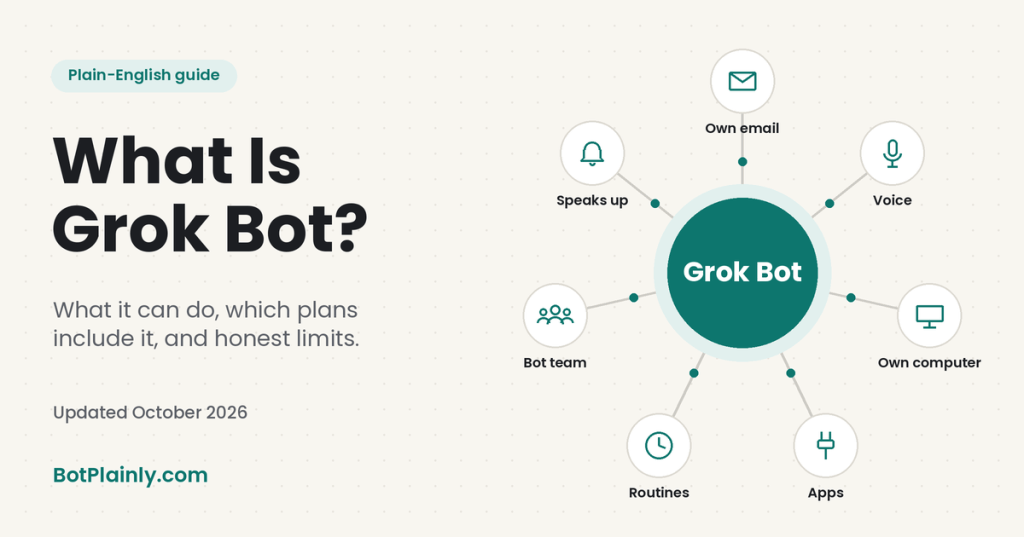
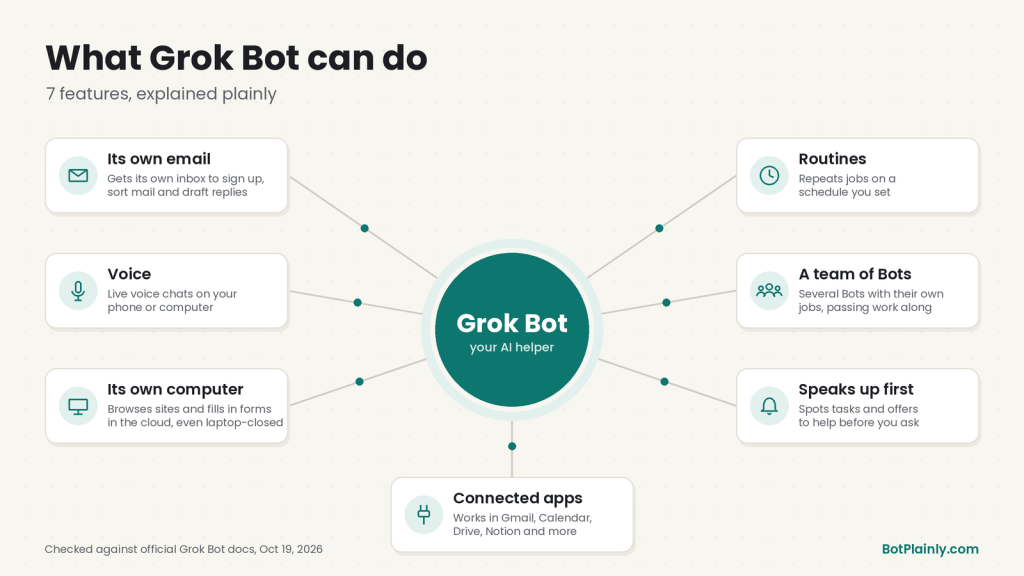
- Grok Bot is a team of AI helpers you hand jobs to. Each Bot works on its own computer in the cloud, so it can open websites, use your connected apps, and keep working after you close your laptop. It checks with you before sensitive steps, like sending an email.
A simple way to remember it: Grok helps you think, and Grok Bot helps you get things done. For the full picture, read our guide What Is Grok Bot?. To see it in real life, our post on Grok Bot for busy moms shows how a small team of Bots can handle school emails, meals, and errands.
You may also hear about Grok Build (it builds apps and websites) and Cursor (coding tools in the same subscription). You don’t need either to use Grok.
Is Grok free? Free vs. paid plans
Yes, Grok has a free version. It gives you limited chat and limited agent requests. The company doesn’t publish exact numbers, so “limited” can mean you hit a cap and have to wait. Paid plans come with The X Subscription, which launched October 12, 2026 and bundles Grok, Grok Bot, Cursor, and X Premium perks.
| Plan | Price (US, before tax) | What you get (official summary) |
|---|---|---|
| Free | $0 | Limited Grok chat and agent requests, standard X |
| Plus | $8/month or $80/year | Grok Chat, Voice, Imagine, and Build, plus a checkmark and fewer ads on X. No Grok Bot. |
| Premium | $30/month or $300/year | Everything in Plus, with 4x the usage, Grok Bot, the latest models, and AI images and videos |
| Super | $100/month or $1,000/year | Everything in Premium, with 15x Plus usage and priority access at peak times |
| Ultra | $200/month or $2,000/year | Everything in Super, with 50x Plus usage |
Prices last checked October 19, 2026, on x.ai/pricing and docs.x.ai/x-subscription/pricing. Prices can change, and tax may be added at checkout.
A few things worth knowing:
- Usage is a weekly pool. Paid plans share one weekly allowance across Grok, Grok Bot, and Cursor, and it refreshes each week.
- Older plans still work. If you already pay for SuperGrok or X Premium, you can keep it. Switching is optional.
- Not sure? Start free. Upgrade only if you keep hitting the limit or want Grok Bot.
Honest limits, safety, and privacy
Grok is useful, but it isn’t magic, and it isn’t private by default. Here’s what to keep in mind:
- It can be wrong. Double-check anything about money, health, legal matters, or breaking news, especially when a topic is trending on X and the facts are still coming in.
- Your chats may be used for training. The official FAQ says your content may be used to train its models, but you can turn that off. In the app, go to Settings → Data Controls and switch off “Improve the model.” On grok.com, it’s Settings → Data.
- Use Private Chat for sensitive topics. Look for the ghost icon. Private chats don’t show up in your history, aren’t used for training, and are deleted from the company’s systems within 30 days.
- People may review some chats. The FAQ says a limited number of authorized staff may review conversations, for example for safety. Don’t share passwords, account numbers, or medical details.
- Shared links are public. Anyone with a share link can see that chat. You can remove links at grok.com/share-links.
- A note for parents: Grok is for ages 13 and up, and the official FAQ warns that some features can produce content that isn’t appropriate for all ages. In an assessment updated January 22, 2026, Common Sense Media’s Youth AI Safety Institute rated Grok an “unacceptable risk” for teens and advised parents not to let teens use it. Read their findings before you decide what’s right for your family.
Where Grok is heading
We only include what the company has actually announced, not rumors.
Officially announced as coming:
- The X Subscription is rolling out worldwide. The October 12 announcement said it would reach everyone globally “over the next few days,” with switching for existing subscribers rolling out gradually.
- Grok Bot launched as a beta in August 2026, and new features have been arriving often since, so expect changes.
- More Tesla cars may get Grok through over-the-air updates, according to Tesla’s support page.
The direction, based on recent launches (our reading, not a company promise): Grok is moving from a chatbot you visit to a helper that works inside the tools you already use, like your email, documents, calendar, and car, and that can take on full jobs in the background. The 2026 releases point the same way: Connectors, Skills, Automations, Office add-ins, and Grok Bot. We’ll add new sections to BotPlainly as new features come out.
Frequently asked questions
What is Grok AI?
Grok is an AI assistant made by SpaceXSI, the company formerly called xAI. You can chat with it by text or voice to get answers, live web and X search, writing help, images and short videos, and file summaries. It’s available at grok.com, in the iPhone and Android apps, and inside X.
Is Grok free?
Yes, there’s a free version with limited use. The company doesn’t publish exact limits. Paid plans under The X Subscription start at $8 a month (Plus), and Grok Bot comes with Premium ($30 a month) and up. Prices last checked October 19, 2026.
How does Grok work?
It runs on a large language model trained mostly on public internet information, and it can also search the web and public X posts in real time, reason through hard problems, and work with apps you connect.
Who owns Grok?
Grok is made by SpaceXSI (legal name SpaceXAI LLC). It started as xAI in 2023, and SpaceX announced it had acquired xAI on February 2, 2026. The company says it is separate from X Corp., even though Grok is built into X.
Is Grok the same as Grok Bot?
No. Grok is the chat assistant you talk to. Grok Bot is a team of AI helpers that each work on their own cloud computer and complete multi-step tasks for you, checking with you before sensitive steps. Grok Bot comes with the Premium plan and above.
Is Grok safe to use?
Use it wisely: turn off “Improve the model” in Settings if you don’t want your chats used for training, use Private Chat for sensitive topics, never share passwords or account numbers, and double-check important answers. Grok is for ages 13 and up, and Common Sense Media advises parents not to let teens use it.
Can I use Grok on X?
Yes. Grok is built into the X app and website, and you can also tag its account, @grok. Your use of Grok on X falls under X’s own terms and privacy policy, so check X’s settings for your data choices there.
Sources (last checked October 19, 2026)
- What Grok can do: x.ai/grok
- Grok overview: docs.x.ai/grok/overview
- How Grok works, training, privacy, Private Chat, and age rules: SpaceXSI Consumer FAQs
- Company name and relationship to X: SpaceXSI Privacy Policy
- Company milestones: x.ai/company and x.ai/news
- Launch announcement: Announcing Grok (Nov 3, 2023)
- Open release of Grok-1 · Grok-2 · Image generation · Bringing Grok to everyone · Grok 3 · Grok 4 · Grok 4.1
- xAI joins SpaceX (Feb 2, 2026)
- Connectors · Skills · Automations · Grok 4.5 everywhere · Grok Build on every plan
- Introducing Grok Bot (Aug 11, 2026) · Grok 4.7 (Sep 21, 2026)
- Introducing The X Subscription (Oct 12, 2026)
- Prices: x.ai/pricing and docs.x.ai/x-subscription/pricing
- Grok in Tesla vehicles: tesla.com/support/grok
- Meaning of “grok”: Merriam-Webster
- Teen risk rating: Common Sense Media Youth AI Safety Institute: Grok risk assessment (updated Jan 22, 2026)
BotPlainly is an independent guide. We’re not affiliated with, endorsed by, or sponsored by SpaceXSI (formerly xAI), X, Tesla, or Cursor. Grok and Grok Bot are their trademarks. Prices and features can change at any time, so always check the official pages before you buy.