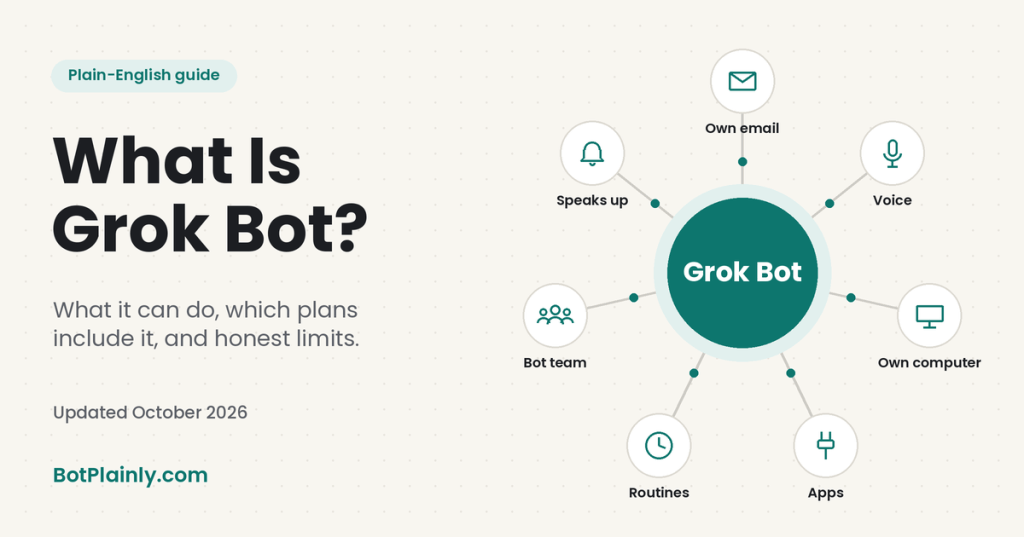
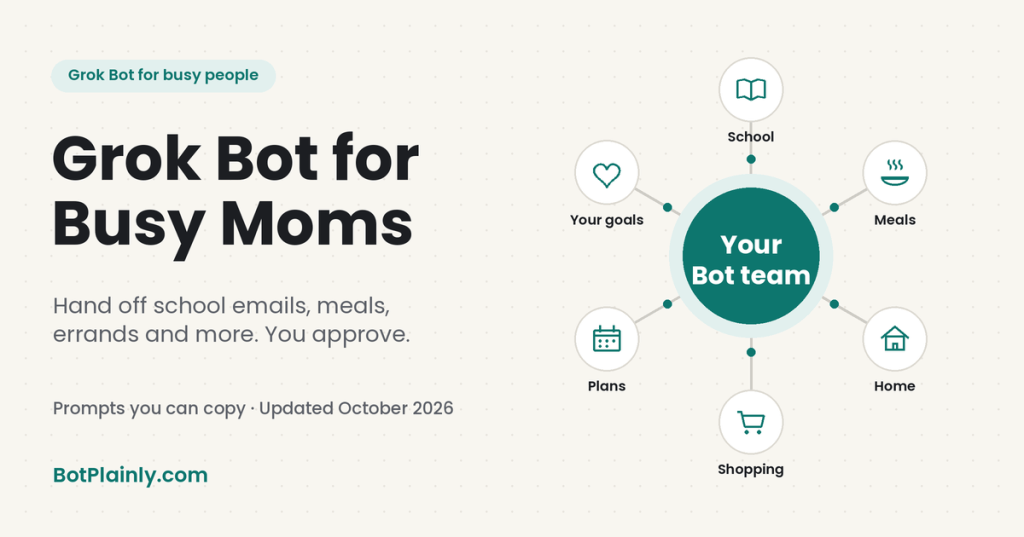
Short answer: Grok Bot is an AI assistant that does tasks for you, not just answers questions. For a busy mom, that means it can sort the school emails, keep the family calendar straight, plan meals, compare prices, and research the things you keep meaning to get to, while you stay in charge of anything that gets sent, booked, or bought.
Last checked: October 19, 2026. Prices and features change, so see the official links at the end.
Why I wanted to write this one
For years I wanted to get my email under control, and it never made the list. Now cleaning up and managing my inbox is one of the first things I handed off. The projects that used to eat all my time now run in the background, and my Bots keep things moving around the clock when I need them to. That means I can work on several projects at once. The biggest change is that I can brainstorm a new idea and start on it right away, instead of putting it on a someday list. As a busy mom of two kids with different needs and schedules, that makes my life so much easier. With a few assistants handling the work part of my day, I can put more of my focus on the kids, their activities, and the things that matter to us as a family.
If you work a 9-to-5, raise kids, and carry the family’s to-do list in your head, the problem isn’t one big task. It’s the hundred small ones: the permission slip buried in an email, the dentist reminder, the “what’s for dinner” question at 5:30. Together they eat the time you’d hoped to spend on yourself, your kids, or the idea you’ve been sitting on for years. Below are real things you can hand off, grouped by area, with prompts you can copy and paste.
A simple starter team for a busy household
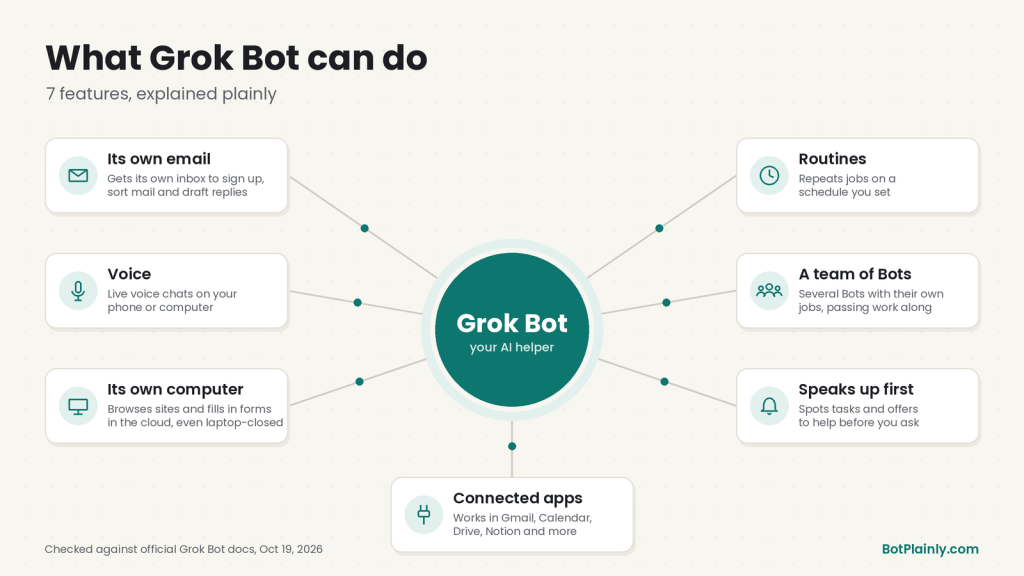
Most AI apps are like a smart friend you text: you ask, they answer, and you still do the work. Grok Bot is closer to a helper you hand a job to. Each Bot works on its own computer in the cloud, so it can open websites, read your connected email and calendar, and keep going after you put your phone down. And you can have more than one Bot, each with its own job. Start with one and add more as it earns your trust.
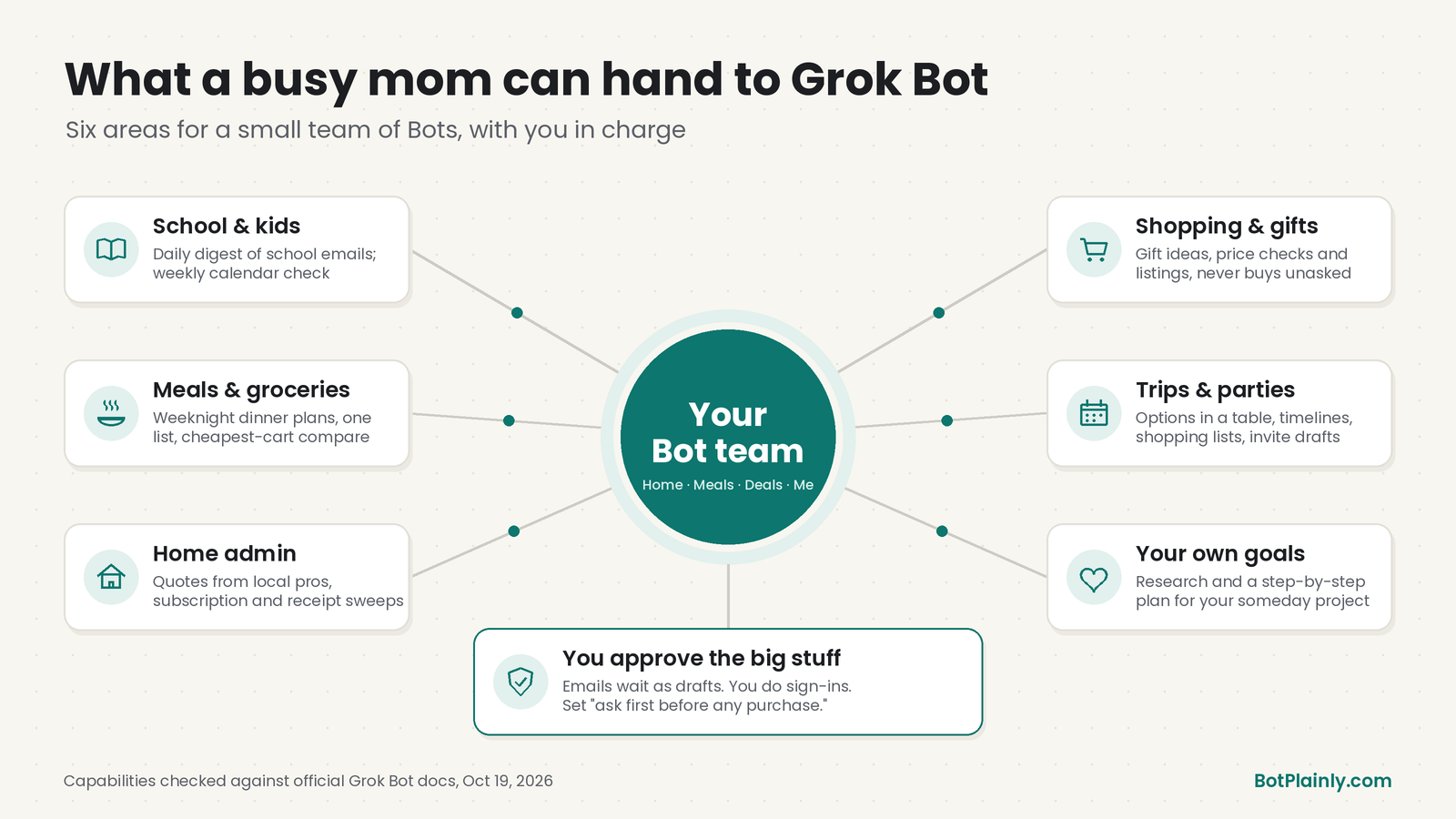
- Home Bot: school emails, the family calendar, appointments, and reminders.
- Meals Bot: weekly dinner plans and grocery lists.
- Deals Bot: price comparisons, gift ideas, and anything you’re thinking about buying.
- Me-Time Bot: research and planning for your goals, the project or hobby that keeps getting pushed to “someday.”
Bots can pass work to each other and even share a group chat, so when your Deals Bot finds the best price on a birthday gift, it can hand the party date to your Home Bot to add to the calendar.
1. School and kid logistics
This is where most moms feel the crunch first. School, sports, and activities often arrive as a stream of emails, and the important line is usually halfway down.
If you connect Gmail and Google Calendar, a Bot can search and read your mail, check the calendars you can see, and create or update events. It can also run on a routine, a job it repeats on a schedule you set, like every weekday morning.
Copy-paste prompts:
“Every weekday at 7 AM, check my Gmail for new emails from my kids’ school, coaches, and activities. Give me a short summary: anything due, anything that needs a reply, and any date changes. Don’t reply to anything without asking me.”
“Every Sunday at 6 PM, look at the family calendar for the coming week and tell me which days have conflicts, which days need a ride, and what I need to buy or prepare.”
Good to know: Gmail connects one mailbox at a time. If school emails go to a different address, you’ll need to switch which account is connected, or forward them.
2. Meals and groceries
Planning dinners is one of the most repeated decisions in family life. A Bot can’t cook, but it can take the thinking off your plate.
Copy-paste prompts:
“Plan five weeknight dinners for a family of four. Each one should take 30 minutes or less, no nuts, and at least two should be meals the kids can help make. Then give me one grocery list grouped by store aisle.”
“Compare the price of these 10 grocery items at [Store A] and [Store B], including delivery fees, and tell me which cart is cheaper. Don’t place an order.”
That last one mirrors an example from the official Grok Bot beginner guide, where a Bot compared carts and delivery costs at Costco and Amazon.
3. Household admin and appointments
The renewals, the bills, the “call someone about the leaky faucet” list.
Grok Bot can have its own email address (it ends in @mail.grokbot.com). Your Bot can use it to sign up for store newsletters, collect receipts, and draft emails to businesses. Every email it writes waits as a draft until you approve it.
Copy-paste prompts:
“Find three highly rated plumbers near [your town] who handle small repairs. Make a short table with reviews, hours, and how to contact them. Then draft an email I can approve asking two of them for a quote.”
“Look through my Gmail for receipts from the last month and make a simple list of what we spent on subscriptions. Flag anything that looks like a free trial about to turn paid.”
4. Shopping, gifts, and deals
Shopping research means hours of open tabs. That’s exactly the kind of clicking around a Bot can do on its computer.
Copy-paste prompts:
“My daughter is turning 8 and loves art and science. Find five gift ideas under $40 from well-reviewed sellers, with links and why each one fits. Don’t buy anything.”
“I’m looking for a used kids’ bike, 20-inch, under $100. Check local listings each evening this week and send me the best three.”
5. Family plans and trips
Trips and parties start with research and a lot of back-and-forth, which a Bot can take on.
Copy-paste prompts:
“Plan a 4-day beach trip in June for two adults and two kids, ages 6 and 10, within driving distance of [city]. Compare three places on cost, kid-friendly activities, and drive time. Put the options in a simple table.”
“Help me plan a birthday party for 12 kids at home: a three-week timeline, a shopping list, and a draft invitation.”
6. Your own goals: the part that matters most
Here’s the real point. Handing off chores isn’t about a cleaner inbox. It’s about getting back time and energy for what you put on hold: a side business, a class, a fitness goal, or just an evening without admin. A Bot can be your research partner and planner here too.
Copy-paste prompts:
“I want to start a small baking business from home while working full time. Research what my state requires for selling homemade food, and make a simple step-by-step checklist. Mark anything I should double-check with an official source.”
“I have about 45 minutes free most evenings. Build me a 6-week plan to [learn a skill / train for a 5K / write my book], with one small step per evening.”
We’ll go deeper on this in our series post on side hustles and small businesses.
You stay in charge: approvals and safety
- Emails always wait for you. Your Bot shows every email as a draft, and nothing sends until you press Send, even from a routine.
- You sign in, not the Bot. For passwords, two-factor codes, or CAPTCHAs, the Bot hands the screen to you. Don’t type passwords into ordinary chat.
- Set “ask first” rules. In Settings, you can add rules like “ask first before any purchase.” And end prompts with a clear stop: “Don’t buy anything” or “Show me before you add it.”
- Remember the shared computer. All your Bots share one cloud computer. The official beginner guide is blunt: if you log into a shopping site on it, a Bot could technically buy things, the same way a person at that computer could. That’s why the “ask first” rules matter.
- Be thoughtful with kids’ information. Share only what a task needs, and keep school portals and health records behind your own login.
- Double-check what matters. Like any AI, it can get things wrong. Check money, health, deadlines, and legal requirements against the original source.
Honest limits before you start
- It isn’t free. Grok Bot comes with the Premium plan and above (below). There’s a limited trial credit, but no free plan.
- Usage can run out. Every paid plan has a weekly allowance shared across Grok and Grok Bot. The official help pages warn that an hourly routine can use a week of usage in a day, so daily or weekly schedules suit family tasks better.
- Some websites block it or log it out, and then you’ll need to step in.
Which plan includes Grok Bot (and what it costs)
Grok Bot doesn’t have its own subscription. It comes with the larger plans of The X Subscription, which bundles Grok, Grok Bot, Cursor, and X Premium perks.
| Plan | Price (US, before tax) | Includes Grok Bot? |
|---|---|---|
| Free | $0 | No |
| Plus | $8/month | No |
| Premium | $30/month or $300/year | Yes |
| Super | $100/month or $1,000/year | Yes, with more usage |
| Ultra | $200/month or $2,000/year | Yes, with the most usage |
Prices last checked October 19, 2026, on x.ai/pricing and docs.x.ai/x-subscription/pricing. Prices can change, and tax may be added at checkout.
For most families trying it for the first time, Premium is the cheapest plan that includes Grok Bot, and it’s the plan the official pricing page recommends for new AI users. Plus does not include Grok Bot, which is a common mix-up.
How to get started this week
- Pick a plan at x.ai/pricing (Premium or higher), then download the Grok Bot app from x.ai/bot. It works on iPhone, iPad, Android, Mac, Windows, and Linux.
- Create one Bot with one job, like “Home Bot: school emails and the family calendar,” and connect only what that job needs.
- Give it one small task, like the Sunday calendar summary above.
- Once it works, make it a routine, then add your next Bot.
The goal isn’t to automate your whole life in a weekend. It’s to win back a little time each week and spend it on something you care about.
Frequently asked questions
Is there an AI assistant that actually does tasks for busy moms?
Yes. Grok Bot is one example. Unlike a regular chatbot, it works on its own cloud computer, so it can read your connected email and calendar, browse websites, and run tasks on a schedule. It asks for your approval before sending emails and stops for logins and other sensitive steps.
Can Grok Bot manage my family calendar?
If you connect Google Calendar, a Bot can read the calendars you can see, check free time, and create or update events on calendars you can edit. A good habit is asking it to show you the events before it adds them.
Will Grok Bot buy things without asking me?
You control that. Emails always need your approval. For shopping, tell the Bot “don’t buy anything” in your request and add an “ask first before any purchase” rule in Settings. Remember that any store you sign into on the Bot’s computer is reachable by all your Bots.
How much does Grok Bot cost?
Grok Bot is included with the Premium plan of The X Subscription ($30/month or $300/year in the US) and the higher Super and Ultra plans. The Free and Plus plans don’t include it. Prices last checked October 19, 2026.
Is Grok Bot safe to use with family information?
It has real safeguards: drafts you approve before sending, sign-ins you do yourself, and rules you can set. But it’s still an AI with access to whatever you connect, so share only what each task needs and keep sensitive records like health and school portals behind your own login.
Sources (last checked October 19, 2026)
- Grok Bot overview: docs.x.ai/grok-bot/overview
- Connect apps (Gmail, Google Calendar): cursor.com/help/grok-bot/connect-apps
- Routines: cursor.com/help/grok-bot/routines
- Bot email address: cursor.com/help/grok-bot/agent-email
- Approvals and “ask first” rules: docs.x.ai/grok-bot/security
- Shopping comparison and shared-computer note: Grok Bot 101 guide
- Prices: x.ai/pricing and docs.x.ai/x-subscription/pricing
- Grok Bot on The X Subscription: docs.x.ai/x-subscription/grok-bot
- Trial details: cursor.com/help/grok-bot/plans
BotPlainly is an independent guide. We’re not affiliated with, endorsed by, or sponsored by xAI (now SpaceXSI), X, or Cursor. Grok and Grok Bot are their trademarks. Prices and features can change at any time, so always check the official pages before you buy.