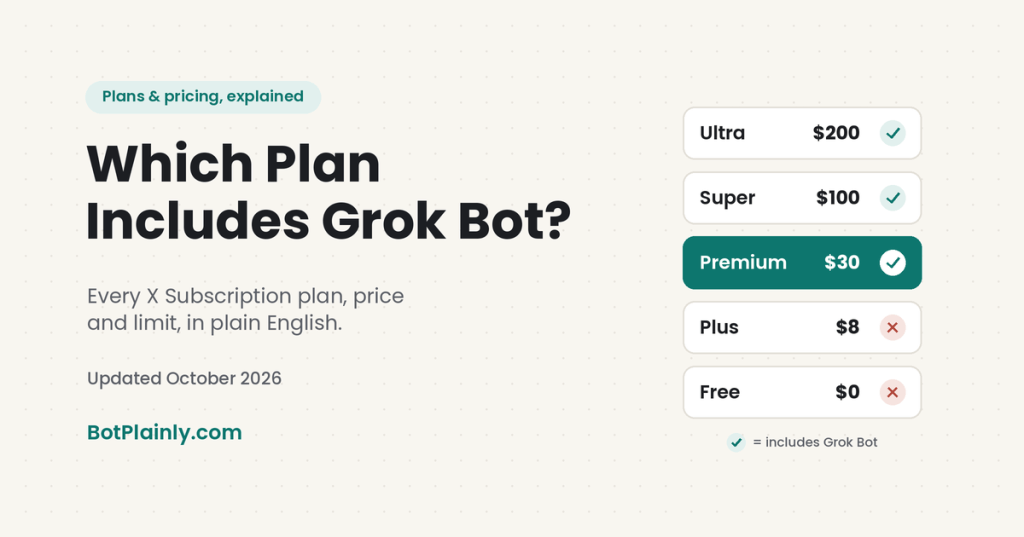
Short answer: Grok Bot doesn’t have its own price. It comes with The X Subscription on the Premium plan ($30 a month or $300 a year) and the bigger Super ($100) and Ultra ($200) plans. The Free and Plus ($8) plans do not include Grok Bot. If you already pay for SuperGrok, X Premium+, or Cursor, you may already have access through your current plan.
Prices last checked October 19, 2026, on the official pages linked at the end. US list prices, before tax.
Since the plans changed on October 12, 2026, one of the most common questions on X has been some version of “I pay for X, so why don’t I have Grok Bot?” This guide clears that up: what each plan costs, which ones include Grok Bot, how the usage limits work, and how to sign up or cancel without surprises.
New to all this? Start with our plain-English guides to what Grok is and what Grok Bot is.
The X Subscription plans at a glance
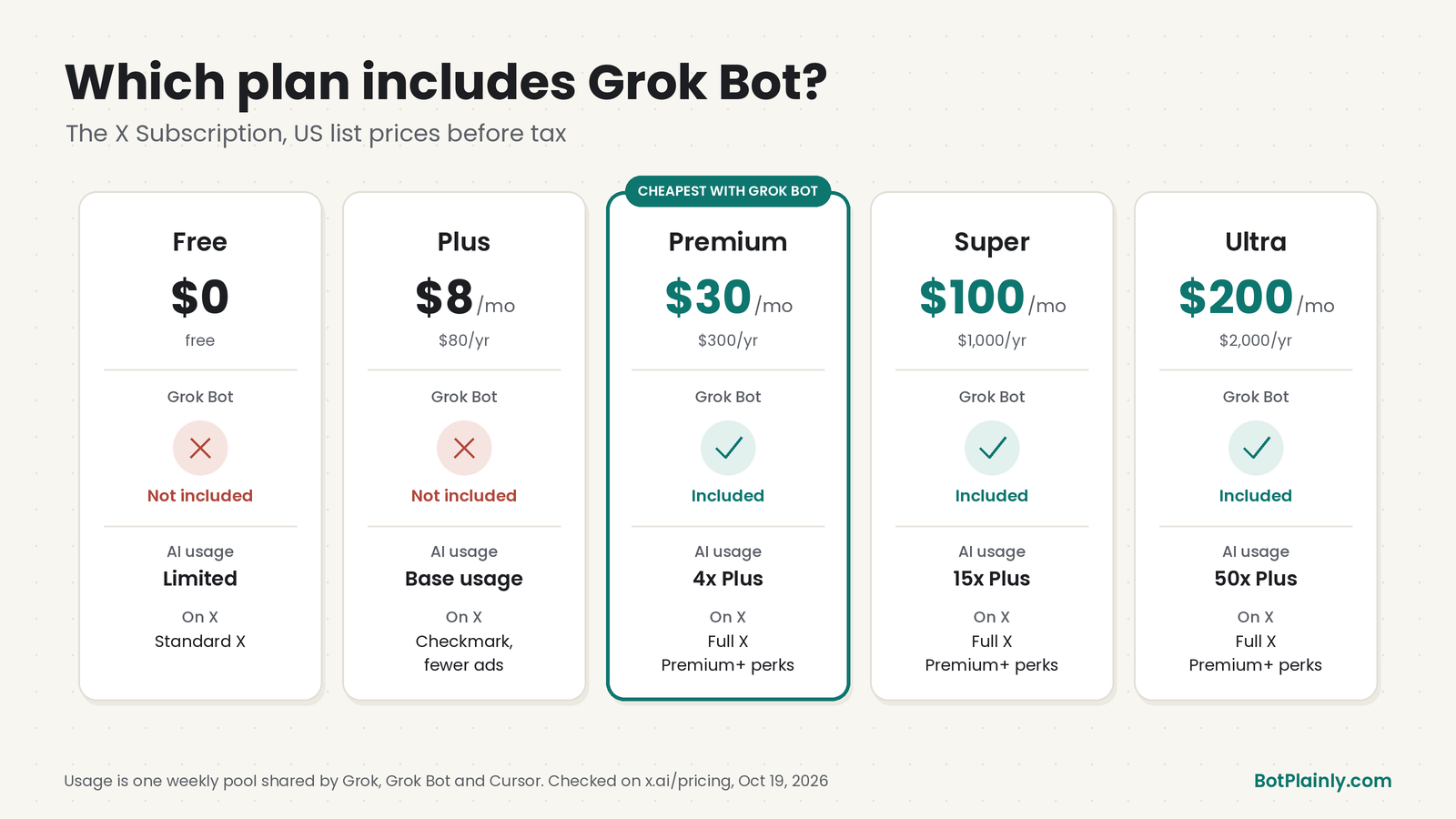
On October 12, 2026, the company behind Grok (SpaceXSI, formerly xAI) combined Grok, Grok Bot, the Cursor coding tools, and X Premium perks into one plan called The X Subscription. There are five tiers:
| Plan | Monthly | Yearly | Usage (compared to Plus) | Grok Bot? | X perks (after you connect your X account) |
|---|---|---|---|---|---|
| Free | $0 | $0 | Limited | No | Standard X |
| Plus | $8 | $80 (about $7/mo) | Base | No | Checkmark, creator tools, fewer ads |
| Premium | $30 | $300 (about $25/mo) | 4x | Yes | Full X Premium+ benefits |
| Super | $100 | $1,000 (about $84/mo) | 15x | Yes | Full X Premium+ benefits |
| Ultra | $200 | $2,000 (about $167/mo) | 50x | Yes | Full X Premium+ benefits |
Source: docs.x.ai/x-subscription/pricing and x.ai/pricing, checked October 19, 2026. Prices don’t include taxes or fees like VAT and can change.
What each plan includes, in plain words
- Free: limited Grok chat and limited agent requests, plus normal X (post, reply, follow).
- Plus ($8): Grok Chat, Voice, Imagine (images), and Build, Grok API access, and Cursor. On X you get the checkmark, fewer timeline ads, creator tools, and Advanced Analytics. No Grok Bot.
- Premium ($30): everything in Plus with 4x the usage, plus Grok Bot, the latest Grok models, faster chat, AI images and videos, and cloud agents and automations. On X: ad-free scrolling on most surfaces, a preferred @handle, and a higher reply boost. The company describes it as “the benefits of SuperGrok, Cursor Pro, and X Premium+, previously $90/month combined.”
- Super ($100): everything in Premium with 15x Plus usage and priority model access at busy times.
- Ultra ($200): everything in Super with 50x Plus usage.
The most common mix-up: Plus is the plan with the checkmark, so it feels like “X Premium.” But Plus does not include Grok Bot. To use Grok Bot on The X Subscription, you need Premium or higher.
Which plan is right for you?
The official pricing FAQ recommends Premium for new AI users, Super for daily agent users, and Ultra for power users, with Plus for “social creators with limited AI usage.” Here’s how that translates for real people:
- Busy parent: Start with Premium ($30). It’s the cheapest plan with Grok Bot, and it’s plenty to try a couple of Bots on family jobs, like the school-email summary and dinner planning in our Grok Bot for busy moms guide. Schedule routines daily or weekly, not hourly, so your usage lasts.
- Freelancer or side hustler: Premium is the place to start. If Bots end up running your inbox, research, and client admin every day and you keep hitting the weekly limit, that’s the sign to look at Super.
- Small business with a team: Look at team seats: Premium is $30, Super $100, and Ultra $200 per person per month, and you can mix tiers, for example three Premium seats and one Super seat. Team plans add central billing, admin controls, and usage analytics. Plus isn’t offered for teams.
- Heavy user or developer: If you run several Bots all day or code a lot in Cursor, Super or Ultra gives you a much bigger weekly pool.
- Mostly on X, light on AI: Plus ($8) gets you the checkmark and fewer ads, but remember it has no Grok Bot.
Not sure? Start on Premium for a month. Your usage screen will show you quickly whether you need more.
How usage and limits work
This is the part that trips people up, so here it is simply:
- One weekly pool per person. Each paid plan gets one pool of AI usage that covers Grok (Chat, Imagine, Voice, and Bot) and Cursor together. Grok Bot doesn’t get a separate allowance. It shares the same pool.
- It refreshes every week. One heavy day can’t use up your whole month.
- Different jobs cost different amounts. A long Grok Bot task uses more than a quick chat question.
- No exact numbers are published. The plans are described only as multiples, like “4x Plus,” and the company doesn’t say how many messages, images, or Bot hours that means. You can see your remaining usage at any time in your account settings.
- When you run out: wait for the weekly reset, or buy top-ups, which are prepaid credits for extra usage. Auto Top-up is optional and stays off unless you turn it on, and you can set a monthly spending cap.
- Some things are billed separately. Grok API usage (for developers) and third-party AI models inside Cursor aren’t covered by the pool.
Is there a Grok Bot free trial?
Yes, but it works differently than most trials. According to Cursor’s Grok Bot help pages:
- The trial is a usage credit, not a set number of days, though a 7-day window also applies.
- The credit is used up by how much work your Bots do, so one big task can use most or all of it at once. Used credit isn’t restored.
- The Grok Bot trial never turns into a paid plan, and there’s no charge to cancel it. If you choose Cancel Trial, it ends right away and you can’t claim it again.
- On iPhone, watch out: an App Store introductory offer is different. Apple runs it, and it does become a paid subscription unless you cancel before it ends.
- Android has no in-app trial.
Tip from the official help: start with small, clearly defined tasks so the trial credit goes further. Don’t run a giant job first.
Already pay for SuperGrok, X Premium+, or Cursor?
You don’t have to switch. The company says existing SuperGrok, Cursor, and X Premium plans continue at their current price and features unless you change or cancel them. Here’s who gets Grok Bot on the older plans, according to Cursor’s plans page:
| Older plan | Grok Bot? |
|---|---|
| SuperGrok, SuperGrok Plus, SuperGrok Heavy | Yes, after you link your Grok account from the Grok Bot plan screen |
| X Premium+ | Yes, after you link the Grok account that has X Premium+ |
| SuperGrok Lite | No |
| Cursor Pro, Pro+, Ultra, or a Cursor Teams plan | Yes, sign in to Grok Bot with that Cursor account |
| Assigned seat on a self-serve Grok Business plan | Yes. Sign out of Grok Bot, then use “Sign in with Grok” with that account. Usage matches the seat’s license (SuperGrok or SuperGrok Heavy). |
| Grok Enterprise or Cursor Enterprise | Ask your account manager |
Good to know about older plans:
- Linking is permanent. A SuperGrok or X Premium+ link can’t be undone or moved to a different Cursor account, so sign in with the right account first.
- Plans don’t stack. If you have a Cursor plan and a SuperGrok link, Grok Bot uses whichever one gives more weekly usage, not both added together.
- If you have X Premium+ and switch, choose Premium or higher to keep your Premium+ perks.
- Switching is permanent too. Combining accounts into The X Subscription can’t be undone, even by Support. Your old plan is cancelled with an automatic prorated refund for the unused time. The refund goes back to your original payment method separately, so the new plan is charged at full price.
- Switch on the web. The mobile apps send existing subscribers to the web for now. Start at cursor.com/unify if you pay for Cursor, or accounts.x.ai/unify (or grok.com, Settings → Billing) if you’re starting from Grok or X.
SuperGrok vs. X Premium, now? For new customers, both are folded into The X Subscription. The new Premium plan at $30 includes the SuperGrok and X Premium+ benefits together, plus Grok Bot. Older SuperGrok and X Premium plans stay the same if you keep them. We didn’t list their old prices here because we couldn’t confirm them on a current official page.
How to sign up (new customers)
These are the official steps:
- Go to x.ai/pricing and choose a plan. Pick Premium or higher if you want Grok Bot.
- Follow the prompts to create your account. You can sign in with X or an email address.
- Complete checkout. On the web you can pay with a card, Apple Pay, Google Pay, or Link. Options vary by country.
- Optional: connect your personal X account to get the X perks. Organization-managed and affiliate X accounts can’t be connected.
- Download Grok Bot from x.ai/bot and sign in with the same account.
You can also subscribe inside the Grok, X, Grok Bot, or Cursor mobile apps. Those purchases are billed by Apple or Google, which changes how you cancel and get refunds (below). The company also warns that subscriptions are sold only directly by X Subscription Corp. Resellers aren’t authorized, and accounts bought that way can be shut down.
How to cancel, change plans, or get a refund
Cancel at least 24 hours before your renewal date to avoid another charge. Where you cancel depends on where you paid:
- Paid on the web: go to grok.com/dashboard → Billing & invoices, open the options on your current plan, and follow the prompts. You can cancel at any time.
- Subscribed on X: cancel it in X.
- Google Play: cancel it in the Google Play Store.
- Apple (iPhone or iPad): cancel in Settings → your name → Subscriptions. Apple handles these charges, and the company can’t cancel or refund them for you.
Changing plans:
- On the web, an upgrade starts right away, and checkout shows how any remaining value is handled.
- On iPhone, a downgrade starts at your next billing cycle, with no refund for the current period unless the law requires one.
A few refund facts:
- Prepaid top-up credit you’ve already used isn’t refundable.
- Cancelling The X Subscription doesn’t un-combine your accounts or bring back your old plans.
- Gifted X Premium and Apple Family Sharing subscriptions aren’t cancelled or refunded when you switch.
- Limited-time switching offers may appear in your billing settings. We’ve seen people on X mention discounts, but the company hasn’t published amounts, so check your own billing page.
Frequently asked questions
Which plan includes Grok Bot?
On The X Subscription, Grok Bot is included with Premium ($30/month or $300/year), Super ($100/month), and Ultra ($200/month). The Free and Plus plans don’t include it. Prices last checked October 19, 2026.
How much is Grok Bot per month?
There’s no separate Grok Bot price. The cheapest way to get it on the new plans is Premium at $30 a month, or $300 a year, which works out to about $25 a month. That’s the US price before tax.
Does X Premium+ include Grok Bot?
If you kept an older X Premium+ subscription, yes. You can link the Grok account that has X Premium+ from the Grok Bot plan screen to get Grok Bot usage. On the new plans, Premium and higher include full X Premium+ benefits and Grok Bot.
Why don’t I have Grok Bot on the $8 plan?
The $8 Plus plan includes Grok Chat, Voice, Imagine, and Build, plus X perks like the checkmark, but not Grok Bot. You’d need to upgrade to Premium or higher. You can do that from your billing page at grok.com/dashboard.
Is there a Grok Bot free trial?
Yes. It’s a usage credit with a 7-day window, and one large task can use most of it. It never turns into a paid plan. An iPhone App Store intro offer is different and does become paid unless you cancel in time.
Do I have to switch from SuperGrok to The X Subscription?
No. Existing SuperGrok, Cursor, and X Premium plans continue unless you change or cancel them. If you do switch, it’s permanent, and you get a prorated refund for unused time on your old plan.
Does Grok Bot have its own usage limit?
No. On The X Subscription, Grok Bot draws from the same weekly pool as Grok and Cursor. Bigger plans have bigger pools, and you can buy top-ups if you run out before the weekly reset.
Sources (last checked October 19, 2026)
- Plan prices, annual prices, and team seats: docs.x.ai/x-subscription/pricing
- Plan features, recommendations, payment, tax, and reseller FAQ: x.ai/pricing
- Launch announcement: Introducing The X Subscription (Oct 12, 2026)
- Grok Bot on The X Subscription: docs.x.ai/x-subscription/grok-bot
- Older plans, linking, Grok Business seats, trial, and refunds: cursor.com/help/grok-bot/plans
- Usage limits: docs.x.ai/x-subscription/usage-limits and Extra usage credits and top-ups
- What The X Subscription is: docs.x.ai/x-subscription/overview
- X Premium customers: docs.x.ai/x-subscription/x-premium
- Sign-up and switching steps: How to unify accounts
- Do I have to switch? · Payment methods
- Cancel your subscription · Upgrade or downgrade · Invoices & Refunds
- App Store subscriptions · Google Play subscriptions
BotPlainly is an independent guide. We’re not affiliated with, endorsed by, or sponsored by SpaceXSI (formerly xAI), X, or Cursor. Grok and Grok Bot are their trademarks. We don’t earn anything from these plans. Prices and features can change at any time, so always check x.ai/pricing before you buy.
Curious how that stacks up against ChatGPT? Read our Grok vs ChatGPT comparison.


Leave a Reply